Desktop apps that save a firm's timesheets straight into their Excel files
An engineering firm's two browser tools, a timesheet form and a manager dashboard, became desktop apps that remember the folder and write the Excel files in place.
- Client
- Engineering firm
- When
- 2026
- Role
- Solo: design and build
- Stack
- Rust
- Tauri 2
- JavaScript
- Excel files
The problem
The firm filled in its timesheets with an HTML tool opened in a browser. A browser cannot remember the timesheet folder, and saving downloaded a copy that then had to be moved over the original by hand.
The approach
The firm's tools run unchanged inside a small Tauri window. A script injected before theirs replaces the two browser-only steps: choosing the folder opens a native dialog, and saving writes the Excel file back where it was read from. Before a file is overwritten the old one is copied to a backup folder, the new bytes are read back and compared, and nothing is written when someone else saved the file in the meantime. One codebase builds two apps: employees get the timesheet, managers also get the dashboard, where past weeks stay editable. The window follows the look of Windows 11.
The result
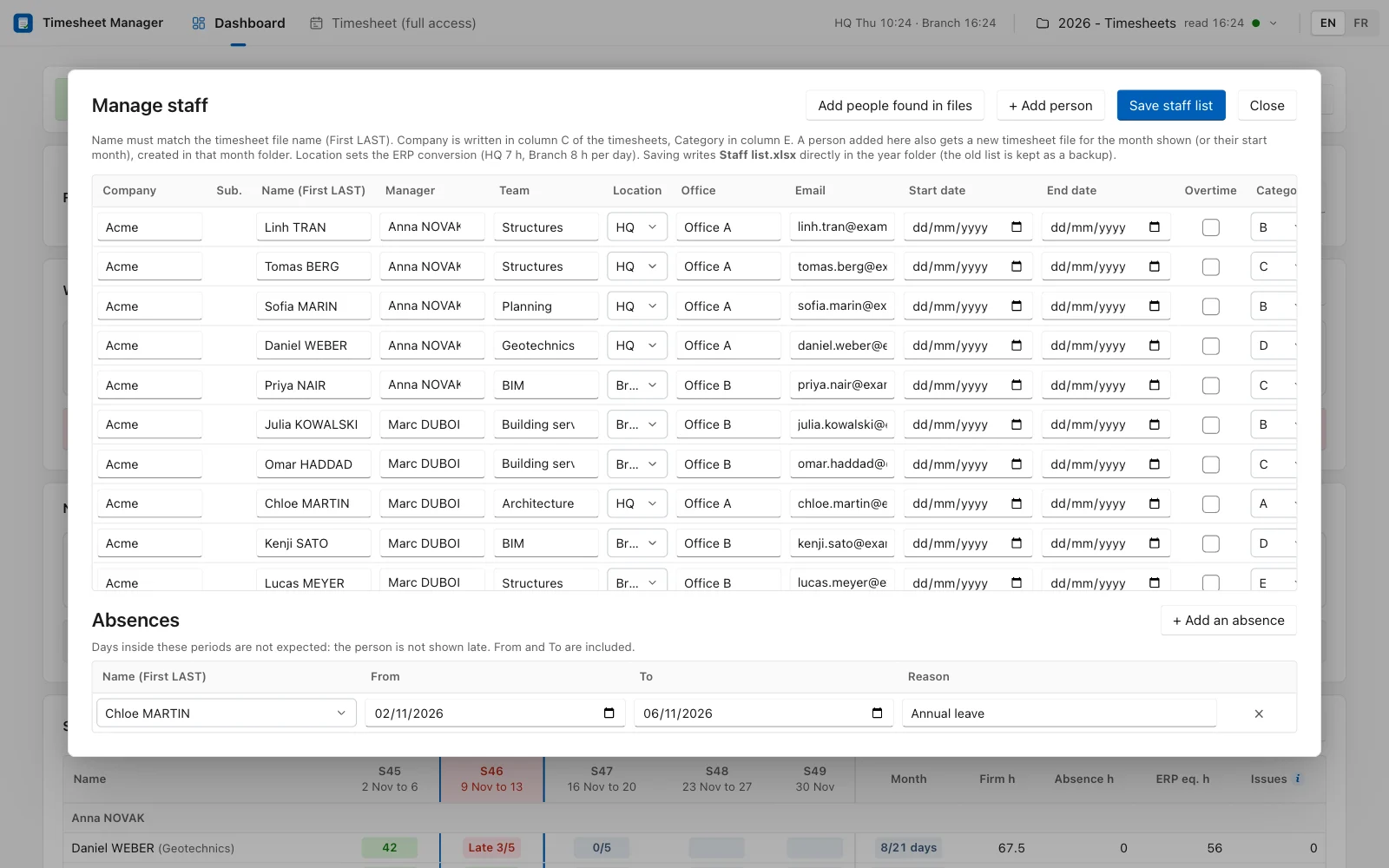
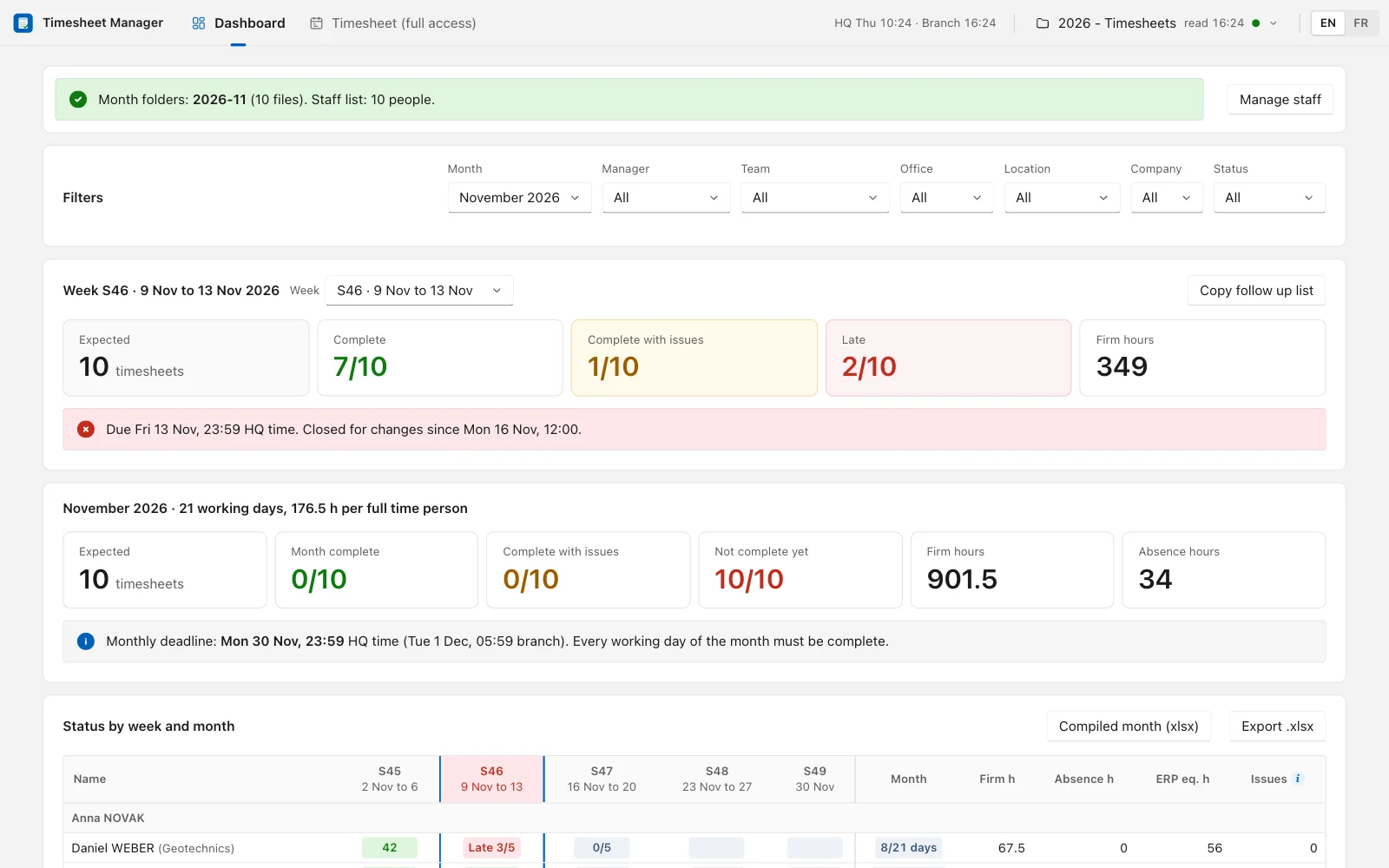
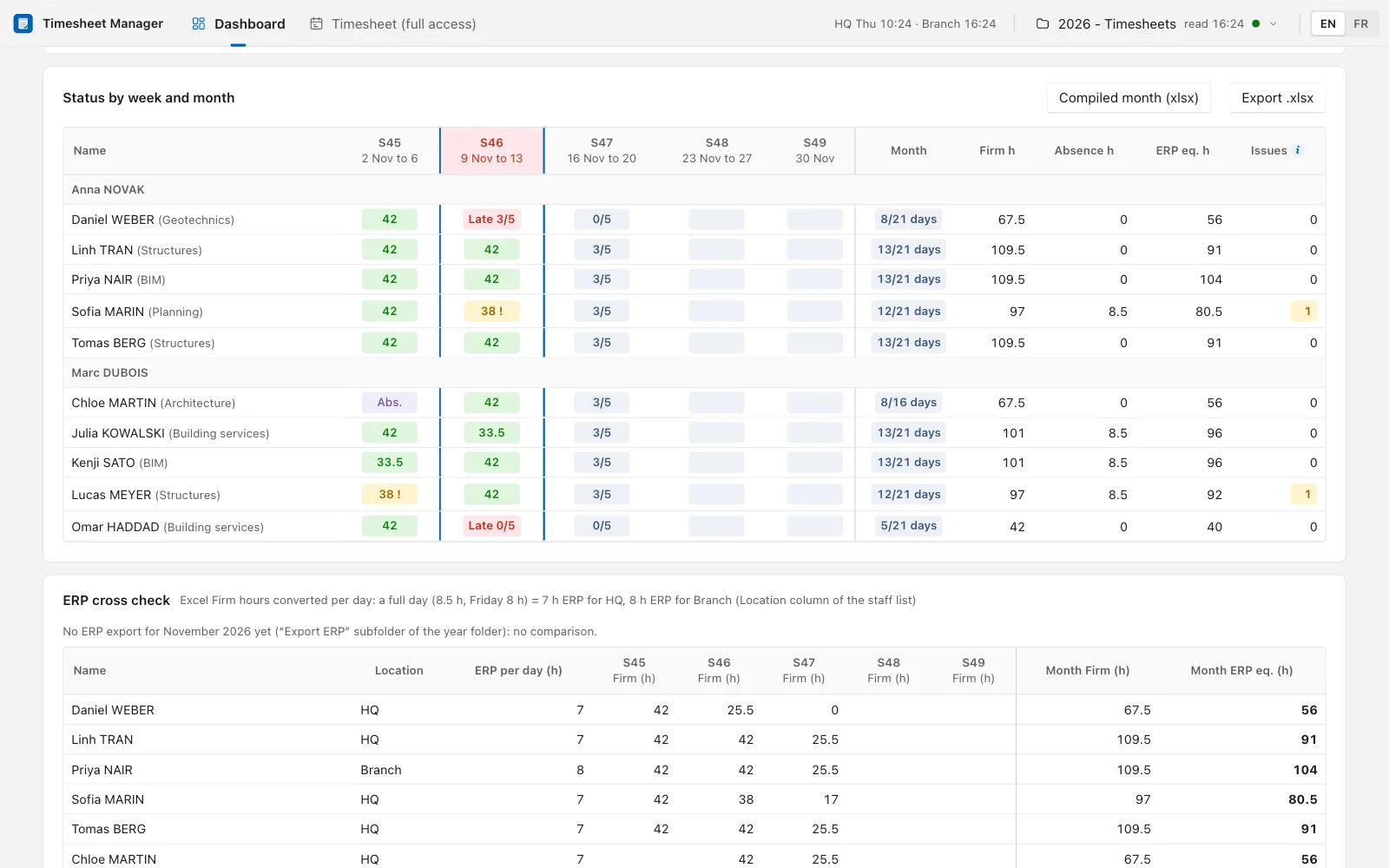
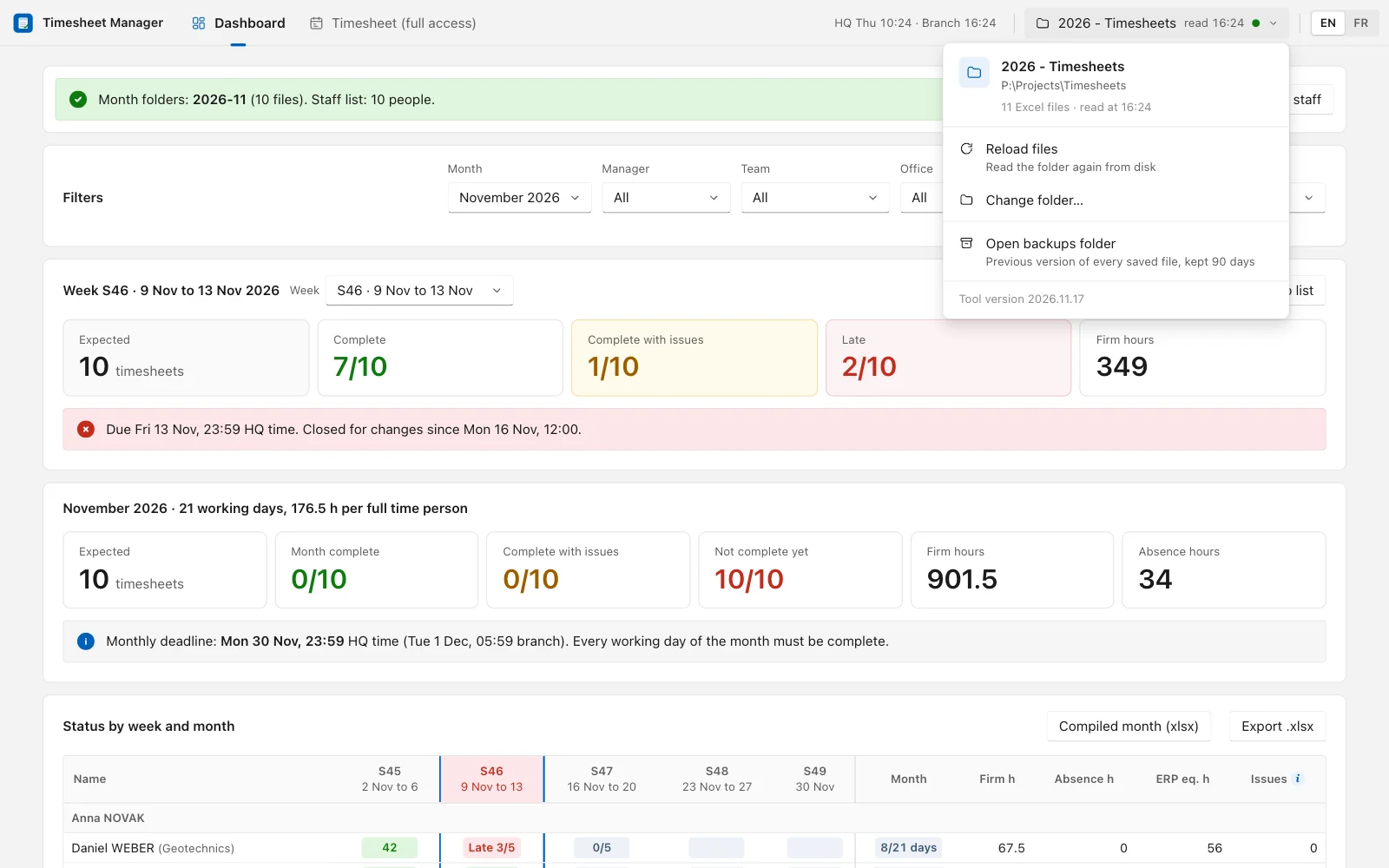
The folder is chosen once and reopened at every launch, and saving is one click with no download step. Managers see who is complete, incomplete or late for each week, filter by company and status, and export the status table to Excel with the screen's colours. Both apps are built for Windows and macOS.
Screens
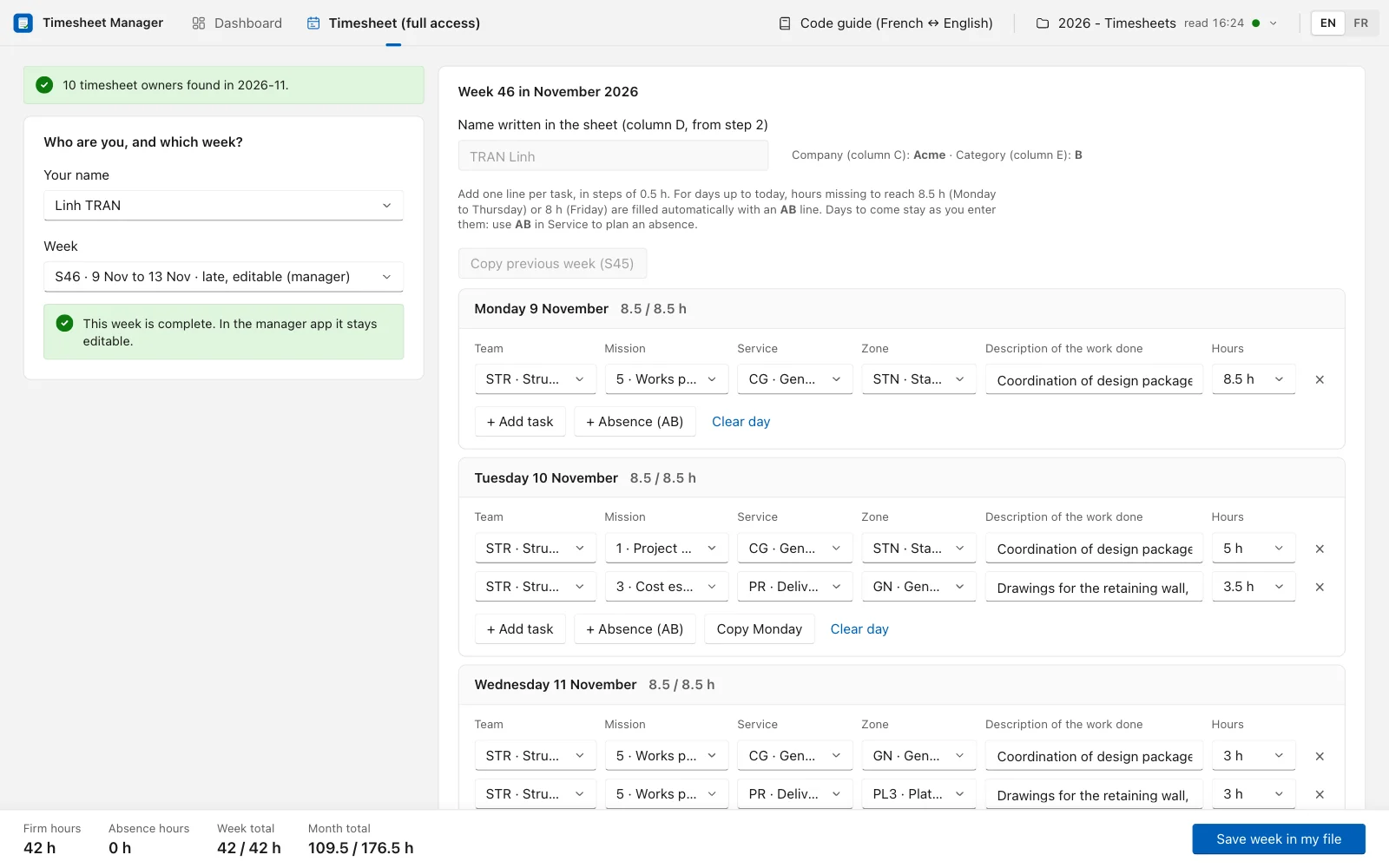
 Enlarge: The timesheet of one person for week 46: task lines per day with team, mission, service, zone, description and hours, week and month totals in the bottom bar and a save button.
 Enlarge: The folder menu open in the toolbar: the timesheets folder with its path and the time it was read, then Reload files, Change folder and Open backups folder.
 Enlarge: The Manage staff dialog listing ten invented people with company, manager, team, location and office, and an absences table with one period of annual leave.